So, you're building robust Mule applications and planning to leverage High Availability (HA) on CloudHub 1 for resilience. That's a smart move for production readiness! But there's a common pitfall I've seen trip up even experienced developers, leading to frustrating, hard-to-diagnose issues after deployment. If you're busy developing features and aiming to build reliable solutions that advance your career, understanding this trap is crucial.
The issue?
Designing and building your application flows as if they will only ever run on a single worker, even when they're destined for a multi-worker HA setup on CloudHub 1. Let's dive into why this happens and how you can avoid the headache.
The Scenario: Single-Worker Thinking, Multi-Worker Reality#
You're focused on the business logic, getting the transformations right, connecting to systems – the core of the development task. You test locally, likely running on a single instance of Mule runtime. It all works perfectly. Then, for production deployment on CloudHub 1 (referencing CloudHub architecture), the decision is made (rightly!) to use multiple workers (e.g., 2 workers) for High Availability.
Here's a real-world example I've encountered too often:
- The Requirement: Create a flow that listens for Salesforce Platform Events (Contact Create and Update). When an event comes in, check the type and either create or update a record in a separate Banking System.
- The Development: You build the flow with the Platform Event listener, logic, and the Banking System connector. It works flawlessly in your single-worker test environment.
- The Deployment: The app is deployed to CloudHub 1 configured with 2 workers for HA.
- The Problem: Suddenly, duplicate records are appearing in the Banking System! Why? Because in an HA setup, each worker often gets a copy of the same Platform Event. Both worker 1 and worker 2 receive the "Create Contact X" event, and both diligently process it, resulting in two create operations in the downstream system.
This kind of issue – duplicate processing, inconsistent state, race conditions – is frustratingly common when the multi-worker deployment isn't considered during design and build.
The Core Principle: Design and Build for Concurrency#
The absolute key takeaway, the habit that will save you significant time and trouble later, is this:
Always ask yourself during design and implementation: "How will this flow behave if it runs simultaneously on two or more workers?"
Force yourself to consider the implications of multiple instances processing data or events concurrently right from the start.
Component Watchlist: Where Problems Often Lurk in CloudHub 1 HA#
While you don't need to become an expert in distributed systems overnight, be especially wary of how these components behave across multiple workers when designing your flows:
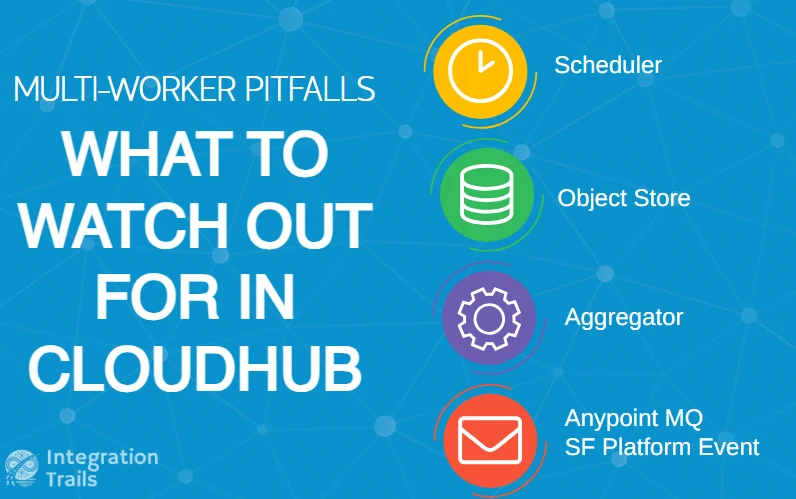
- Scheduler: By default, a scheduler runs on every worker instance. If it performs an action like "fetch all records modified in the last hour," every worker will do it simultaneously unless you configure primary node-only execution.
- Message Listeners (Anypoint MQ, Salesforce Platform Events, JMS, etc.): Like the example, listeners on multiple workers might each receive and process the same event/message if the source pushes to all, leading to duplication.
- Object Store (OS): Remember that you might experience data discrepancies and key clashes.
- Aggregators: Similar to OS, the state held by aggregators is typically local to the worker processing that specific instance of the flow unless designed otherwise.
- Anything Maintaining State: Any custom logic or component that relies on holding information between executions needs careful consideration in a multi-worker environment.
Safer Ground (Usually Less Prone to This Issue):#
Some components inherently handle multi-worker scenarios better for specific use cases:
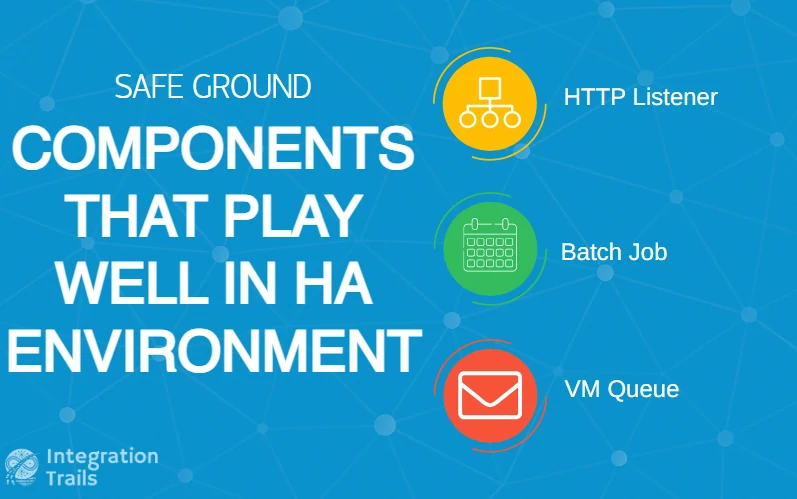
- HTTP Listener: CloudHub's built-in load balancer distributes incoming HTTP requests across the available workers. Generally, only one worker handles a specific incoming request, avoiding duplicate processing of the same request.
- Batch Jobs: By default, Mule batch jobs are designed to run only on the primary node in a cluster, preventing multiple workers from running the same batch instance.
- Persistent VM Queues: When used correctly for inter-worker communication or load distribution within your application cluster, persistent queues ensure a message is typically consumed by only one worker. (Note: This is different from Anypoint MQ which is external).
The Payoff: Save Time, Improve Quality, Advance Your Career#
This article isn't meant to provide exhaustive solutions for every component – the MuleSoft documentation and specific patterns cover those details. The crucial goal here is awareness.
Thinking about the multi-worker scenario early in your design and development cycle for CloudHub 1 HA deployments is a massive lever for improving project quality. It helps you:
- Spot potential race conditions or duplication issues before they hit production.
- Design more robust and reliable applications.
- Save countless hours of debugging confusing production issues.
- Build a reputation for creating solid, production-ready solutions – a definite career booster.
Conclusion:#
Before you finalize that next Mule flow destined for CloudHub 1 HA, take a moment. Ask the critical question: "What happens when this runs on two (or more) workers?" Incorporating this simple check into your routine will significantly enhance the resilience of your applications and save you considerable pain down the road. It's a small investment in thought that pays huge dividends in production stability.
Ready to move beyond theory and learn how to tackle real-world MuleSoft challenges like the ones discussed here? At Integration Trails, we focus on practical experience and the skills that truly matter on the job.
If you found this article helpful, please give it a like, share it with colleagues who might benefit, and subscribe for more practical MuleSoft insights and tips!