Your REST APIs aren't ready for AI Agents yet. A standard JSON response works for a browser or a mobile app, but it is "blind" to a Large Language Model (LLM). For an Agent to act on your business logic, it needs more than raw data; it needs semantic context and a strict contract.
In the Agentic era, your integrations must become agent-ready. We achieve this using the Model Context Protocol (MCP). This protocol provides the "hands" for the LLM "brain," allowing it to discover and interact with your MuleSoft flows safely.
The Dual-Exposure Pattern#
I use the Dual-Exposure Pattern to bridge the gap between traditional consumers and AI Agents. This approach allows you to convert existing Mule applications into MCP Servers without rewriting your core business logic.
Think of it as providing two distinct entry points. You maintain a front door for standard applications (REST/JSON) and a side door for Agents using the MCP Connector.
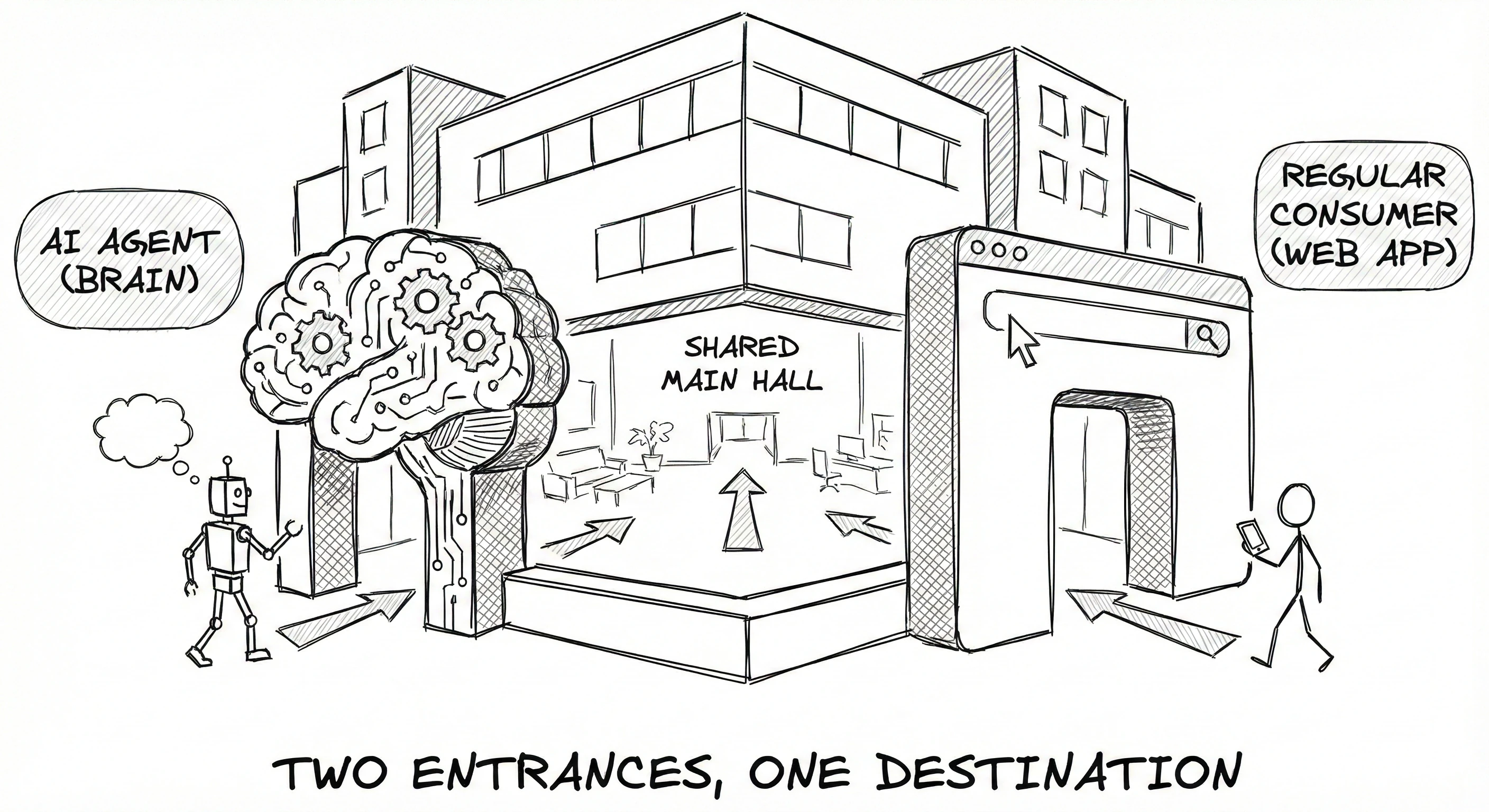
By using this pattern, you ensure your backend services remain dry. You don't build new logic. You wrap existing flows in an MCP-compliant interface. This makes your tools discoverable, providing the LLM with the metadata it needs to understand what a flow does and what parameters it requires.
Architecting the Side Door
The MCP side of your application acts as a translator. It takes the unstructured intent of an Agent and maps it to specific, structured MuleSoft components.

Governing AI Context via Flex Gateway#
Exposing your tools to an Agent without governance is a recipe for disaster. You must ensure only authorized brokers can invoke your business logic. I govern this AI context using Anypoint Flex Gateway.
Layer Security First
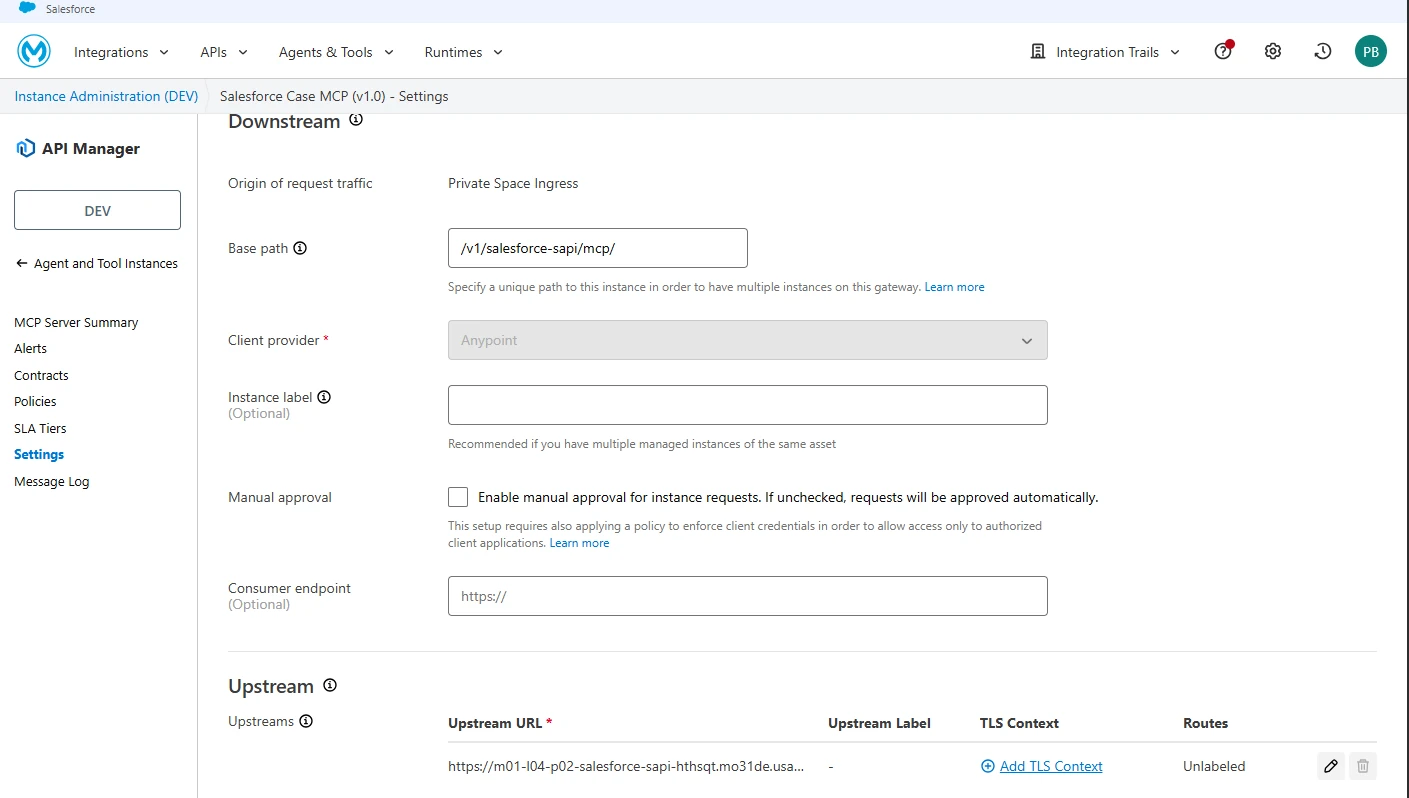
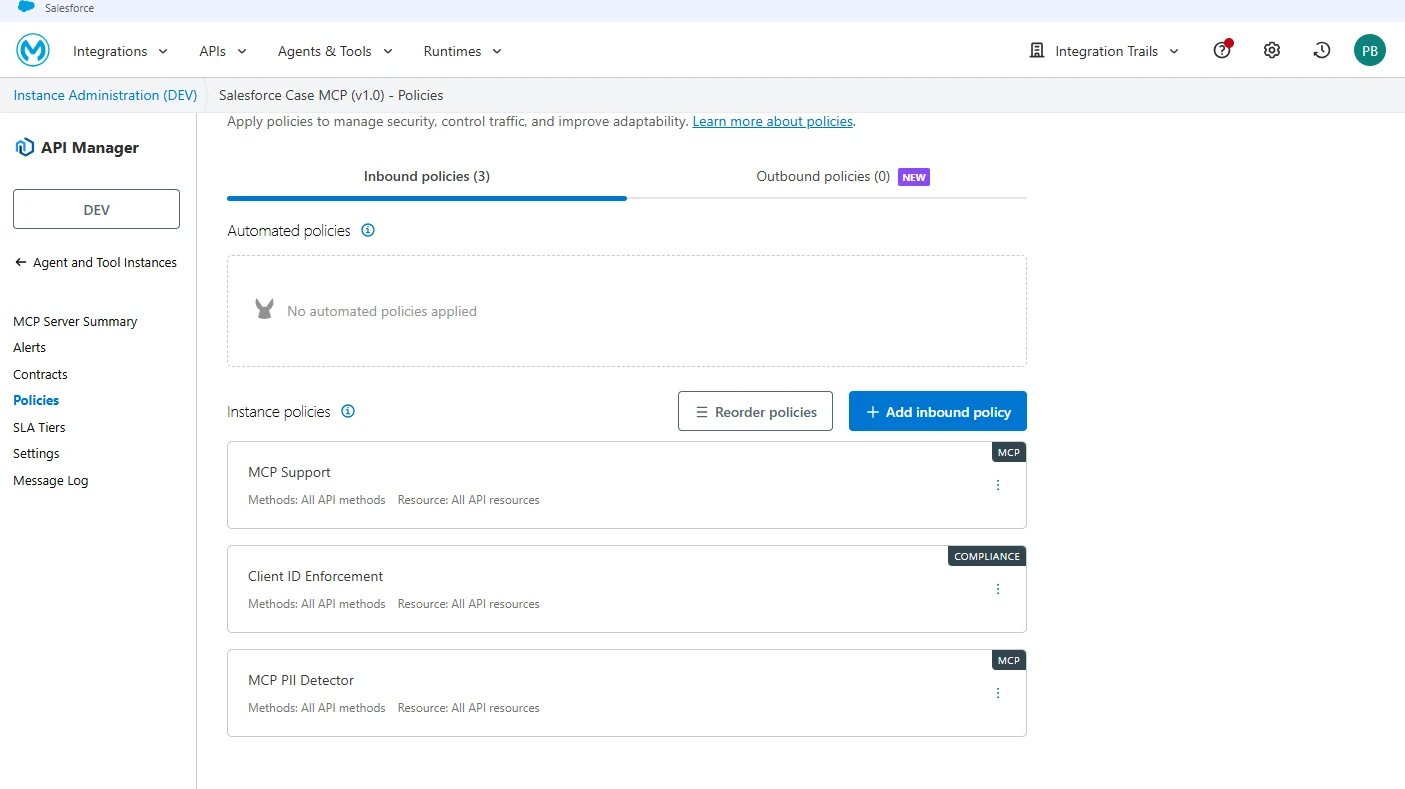
I always apply Client ID Enforcement or OAuth 2.0 first. This is the baseline. You must ensure only specific, authenticated Agents can reach your MCP server. If an Agent doesn't have the right credentials, it shouldn't see your list of available tools.
Activate MCP Support
This is the non-negotiable must-have step. Without the MCP Support policy, your gateway won't speak the protocol. It will treat MCP traffic like standard HTTP, leading to errors or dropped packets. This policy enables the gateway to understand the lifecycle of an MCP connection.
Enforce Agent Guardrails
Standard security isn't enough for LLMs. I use the MCP PII Detector to mask sensitive data before it reaches the Agent. If an LLM doesn't need to see a customer's Social Security Number to perform a task, it shouldn't see it.
Additionally, use Attribute-Based Access Control (ABAC). This allows for granular, tool-level authorization. You might allow an Agent to Read customer data but restrict its ability to Delete records based on specific metadata attributes.
Validate the Schema
The MCP Schema Validation policy ensures every request conforms to the protocol specification. This is your primary defense against hallucinations. If an LLM tries to send a parameter that doesn't exist or uses the wrong data type, the gateway blocks the request before it hits your Mule flow.
Anypoint Exchange: The Agent Registry#
AI Agents cannot guess how to interact with your business logic. Without a strict semantic contract, the LLM is powerless. We use Anypoint Exchange to move from "hidden code" to a governed Agent Registry.
The Dedicated MCP Asset Type
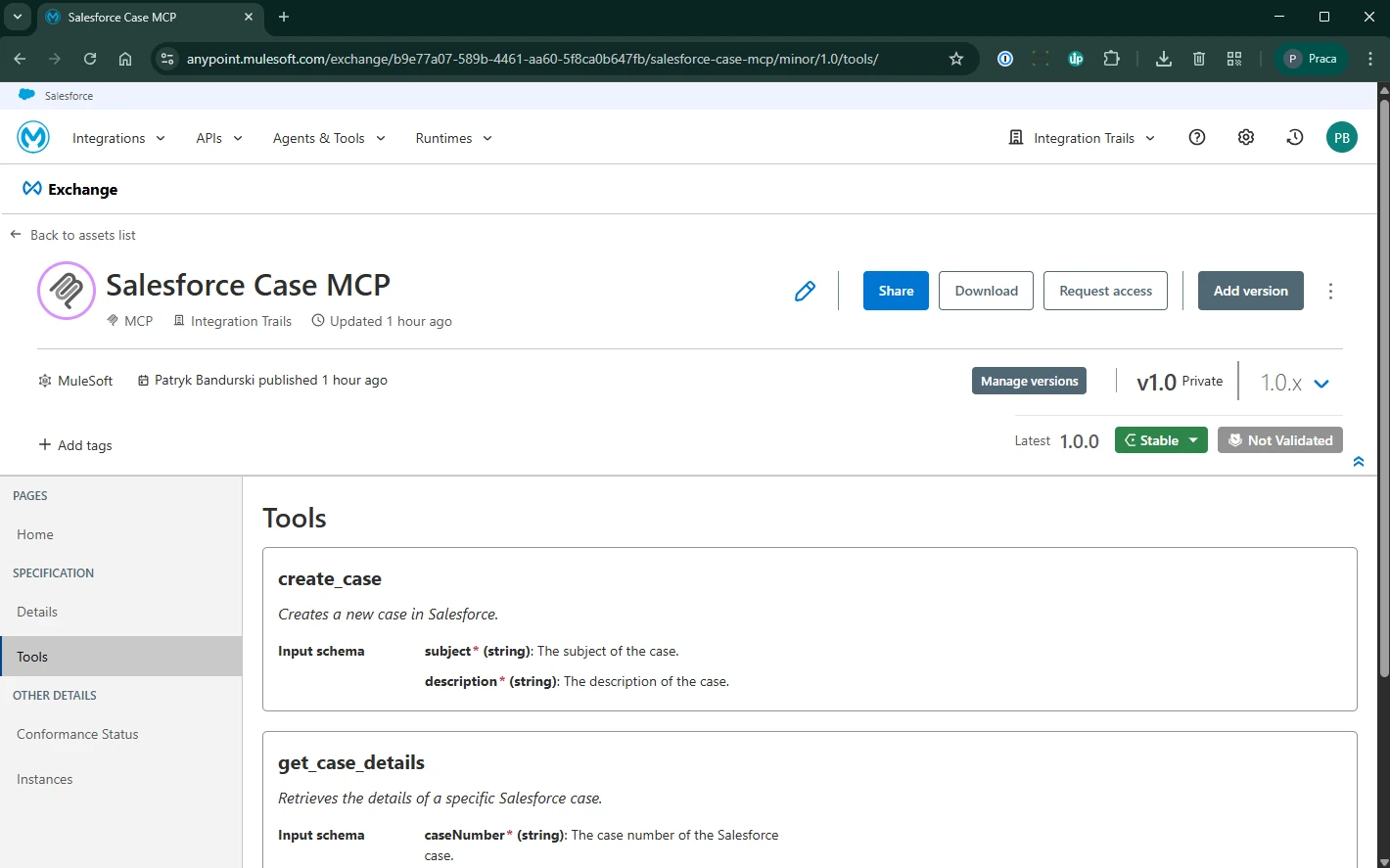
Anypoint Exchange includes a specific MCP asset type. This isn't a renamed API specification. It stores the unique metadata of an MCP server, focusing on Capabilities:
- Tools: Executable functions the AI can call.
- Resources: Data sets the AI can read.
- Prompts: Pre-defined templates for LLM interactions.
Discovery Mechanisms
You have two primary ways to populate an MCP asset in Exchange:
- Fetch MCP URL: This is the preferred method for MuleSoft-hosted servers. It uses auto-discovery to pull the schema directly from a running service.
- Upload MCP file: Use this for local development or when the server is not reachable during the design phase.
Walkthrough: Publishing a Salesforce Case MCP#
Let's register a Salesforce Case MCP that allows an AI to manage support tickets.
- Initiate Metadata: In Exchange, select Publish new asset. Name it
Salesforce Case MCPand select MCP as the Asset Type. - Configure Discovery: Select Fetch MCP URL. Enter your hosted endpoint, for example:
https://salesforce-sapi.cloudhub.io/mcp.Provide the Client ID and Client Secret for secure discovery. - Test and Preview: Click Test Connection. Exchange will perform a discovery call to your server to validate the schema.
- Finalize: Set the lifecycle to stable and Publish.
Once published, the Tools Tab becomes the heart of the asset. It lists every function the AI can call, including input parameters and descriptions. Use the Home Tab as a user manual for AI Architects to understand the intent of the tools.
Testing Your Agentic Integrations
Don’t wait for a full agent deployment to see if your configuration works. Before connecting to Agentforce or a custom LLM, you must verify the gateway is correctly handling the protocol.
I use the MCP Inspector for this validation. This tool allows you to visually connect to your MCP Server via Flex Gateway. You can list tools, inspect the schema, and verify policies are active.
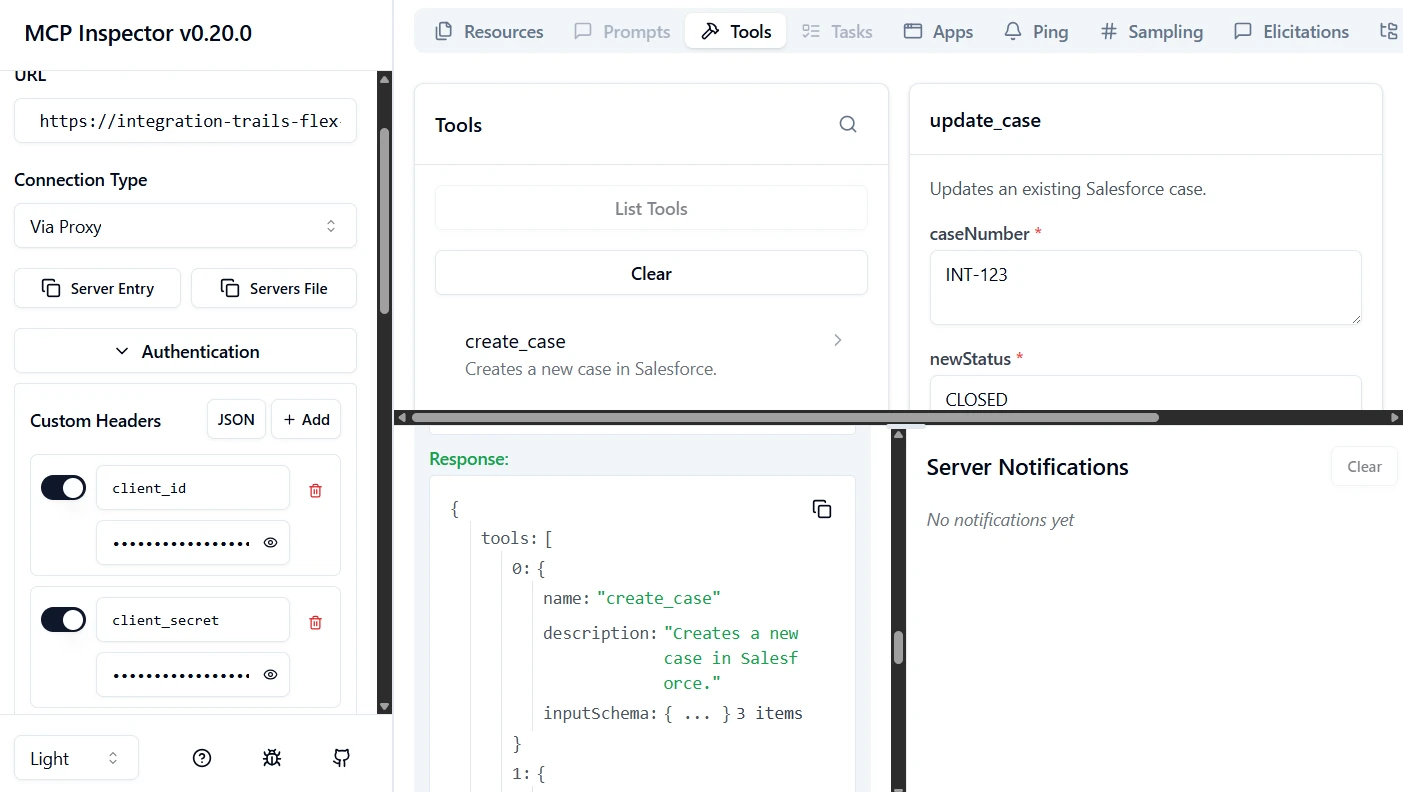
If the inspector cannot see the tools, your Agent won't see them either. Check your Client ID credentials and ensure the MCP Support Policy is correctly applied in the API Manager.
Key Takeaways
- JSON is for Humans and Systems; MCP is for Agents: Traditional REST responses lack the metadata required for LLMs to act autonomously.
- The Dual-Exposure Pattern is standard: Wrap existing logic into an MCP side door to avoid rewriting code.
- Security must be multi-layered: Combine standard OAuth with MCP-specific policies like PII detection and schema validation.
- Anypoint Exchange is the Registry: It acts as the single source of truth for what your AI can do within the enterprise.
- Governance via Flex Gateway is mandatory: Never expose AI tools without strictly enforcing contracts to prevent hallucinations and data leaks.